Productivity software refers to digital tools and platforms designed to help individuals and teams organize tasks, manage time, create and edit documents, and coordinate work or study activities. These applications typically provide structured interfaces for lists, calendars, notes, and files, and they often integrate communication or collaboration elements so that multiple users can contribute or share progress. The concept centers on reducing friction in routine activities, improving visibility of responsibilities, and supporting workflows across devices.
Common components within productivity software include task management modules, calendar and scheduling features, document editors, shared storage, and basic automation or templates. Such systems can be deployed as single-user apps for personal organization or as collaborative platforms for groups. They may run locally, in web browsers, or in cloud-hosted environments that synchronize data across devices. Security, access controls, and offline capability are often part of product considerations.
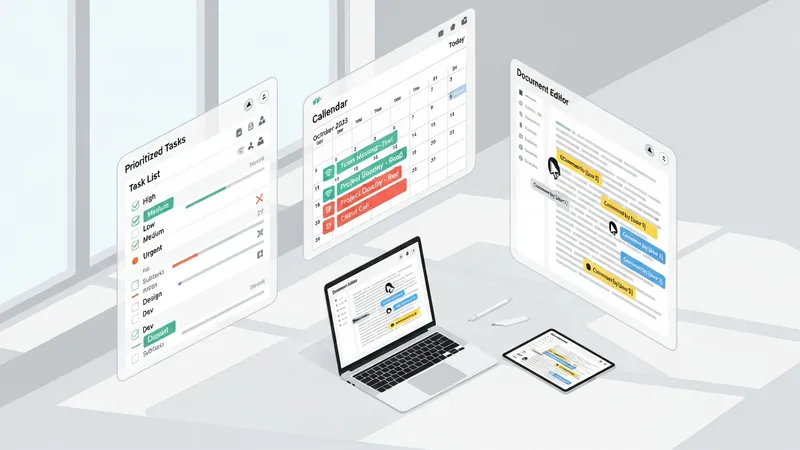
Task and project management tools may support lists, boards, timelines, and simple reporting. They can be used for personal to-do lists, team sprint planning, or academic assignment tracking. These tools often include assignment, due-date, and status fields so that responsibilities and progress are visible. Integration with calendars and file storage typically improves context for tasks. Users may choose lightweight, single-purpose apps for personal use or more feature-rich platforms for multi-member collaboration depending on scope and required controls.
Note-taking and document tools can range from minimal text editors to structured systems that support tagging, linking, and multimedia embedding. For study contexts, note tools may help capture research references, annotate readings, and organize revision. For work, they may store meeting notes, policies, or knowledge-base articles. Many solutions offer real-time collaborative editing, commenting, and simple version history so contributors can track changes. Synchronization across devices often enables continuous access, which may be important for hybrid work or study patterns.
Calendar and scheduling features are commonly integrated with email and task modules to reduce double entry and to provide contextual reminders. Shared calendars may allow teams to view availability and plan meetings, while personal calendars help manage deadlines and study sessions. Scheduling integrations with video conferencing or room bookings may be present in larger platforms. Users typically assess whether recurring event rules, time-zone handling, and notification options meet their coordination needs.
File sharing and basic automation help tie the components together by enabling centralized document storage, controlled access, and repeated task automation. File sharing commonly includes folder structures, permission levels, and previewers, which can streamline collaboration. Automation features may include simple rules to move tasks between states, notify team members, or populate templates. These functions often reduce repetitive administrative work and may improve consistency when used alongside clear process definitions.
In summary, productivity software combines task management, document handling, scheduling, collaboration, and synchronization to support both work and study activities. Different tools place emphasis on specific functions and typical choices depend on whether the priority is personal organization, team coordination, or institutional scale. The next sections examine practical components and considerations in more detail.

Common categories of productivity software include personal task managers, collaborative project platforms, document and note systems, and integrated office suites. Each category may emphasize different feature sets: personal task managers often focus on quick capture, reminders, and tagging; collaborative platforms typically add shared boards, permissions, and activity logs; document systems prioritize rich text editing, comments, and versioning; and office suites combine several capabilities into a unified environment. Users may select single-purpose apps or assemble a mix of tools that interoperate through connectors and integrations.
Feature coverage typically includes task assignment, deadlines, comments, file attachments, search, and notifications. Advanced options in some platforms may introduce templates, dependency tracking, time estimates, and basic reporting dashboards. Accessibility features such as mobile apps and offline editing are often considered for users who switch devices. When evaluating types, organizations or individuals may weigh simplicity against configurability and the potential for tool overlap that can increase maintenance effort.
Integration patterns are a common differentiator among types. Many teams use calendar integrations to surface deadlines in scheduling views, and document links may be embedded inside tasks for context. APIs and third-party connectors can synchronize tasks and contacts across systems, which may reduce duplicate entry but can add complexity. Considerations about data residency, exportability, and vendor-neutral formats often influence choices in multi-tool environments, particularly when long-term access to content is important.
Typical adoption patterns show that individuals often start with a single, lightweight app for personal organization and then add collaborative tools as team needs grow. Institutions may prefer broader suites that centralize administration and compliance features. Training and change management are relevant regardless of type: even feature-rich systems require clear conventions and simple workflows to avoid inconsistent use. These practical considerations help readers understand how types align with real-world needs.
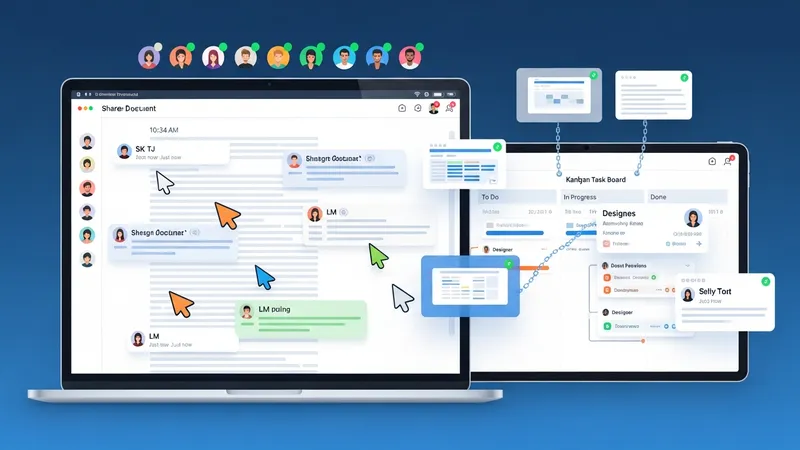
Collaboration and file sharing are central to many productivity workflows for both study and work. Use cases include co-authoring documents, coordinating group projects, managing shared task backlogs, and maintaining centralized knowledge bases. In academic settings, shared notes and group project boards can streamline student coordination. In professional contexts, teams may use shared task boards to track sprints, handoffs, or recurring operational tasks. Access controls and role definitions often influence how effectively collaboration scales across members.
Real-time collaboration features such as simultaneous editing, in-line comments, and presence indicators often reduce the friction of asynchronous contributions. For distributed teams, shared calendars and scheduled reminders can facilitate alignment across time zones. File previews and link-based sharing reduce the need for attachments and may simplify version management. Users may find that workflows which combine task references, document links, and comment threads preserve context and reduce repeated clarifications during collaboration.
Use cases vary by discipline and scale: students may use note apps to consolidate lecture material and schedule revision blocks; small teams may track deliverables using card-based boards; larger organizations may implement structured project management with defined stages and reporting. Typical patterns reported across sectors indicate that hybrid approaches—mixing a simple task tracker with a document repository—are common. The fit between a tool’s collaboration features and the team’s communication norms often determines practical utility.
Considerations for shared use include permission models, retention policies, and naming conventions for files and tasks. Clear metadata practices (consistent tags, folder structures, and task naming) can improve discoverability and reduce duplication. Institutions often establish baseline practices to ensure that collaborative spaces remain organized and that stakeholders can locate historical materials. These operational details tend to influence long-term maintainability more than raw feature counts.
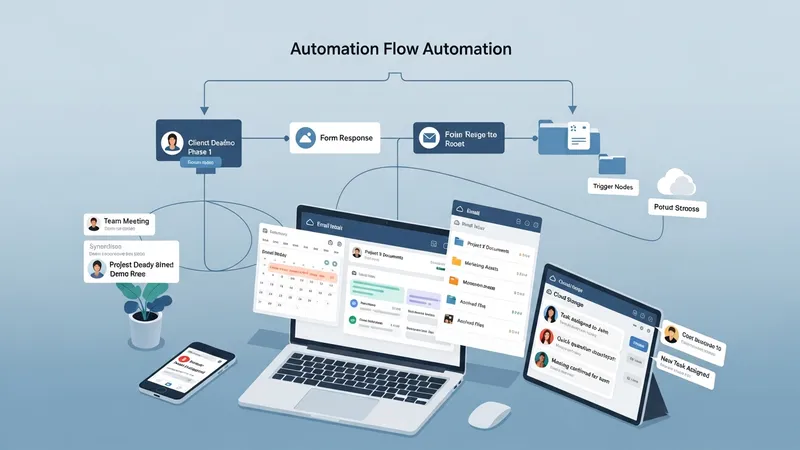
Integration capability is a common requirement for modern productivity ecosystems. Tools that connect with email, calendar providers, cloud storage, and communication platforms may reduce repetitive work and keep information aligned across systems. Automation features often include rules that move items, update status fields, or send notifications based on triggers. Synchronization across devices ensures consistent access and state, which is particularly relevant for users who switch between desktop, mobile, and web clients.
Automation can simplify repetitive workflows such as recurring tasks, onboarding checklists, or routine report generation. Typical automations may include creating a task from a form response, assigning reviewers when a document reaches a stage, or archiving completed items after a period. While automation can reduce manual steps, it may introduce maintenance overhead if business processes change. Organizations frequently pilot automations on a limited scope before scaling to broader use to manage complexity.
Data synchronization relies on cloud services or background sync mechanisms in client apps. Cloud-hosted platforms often provide near-real-time synchronization that keeps collaborators aligned, while offline-capable apps queue changes until connectivity returns. Considerations around data residency, export options, and open formats may affect long-term access and migration planning. Users typically evaluate whether a vendor’s synchronization methods and data export facilities meet their archival or compliance needs.
Interoperability is often assessed through available connectors, standard protocols, and API documentation. When selecting tools, stakeholders may map common workflows and identify which integrations reduce manual handoffs. A pragmatic approach is to prioritize a small number of high-value integrations that cover core processes, rather than attempting to integrate every system at once. This measured approach tends to lower friction and provides clearer returns on integration effort.
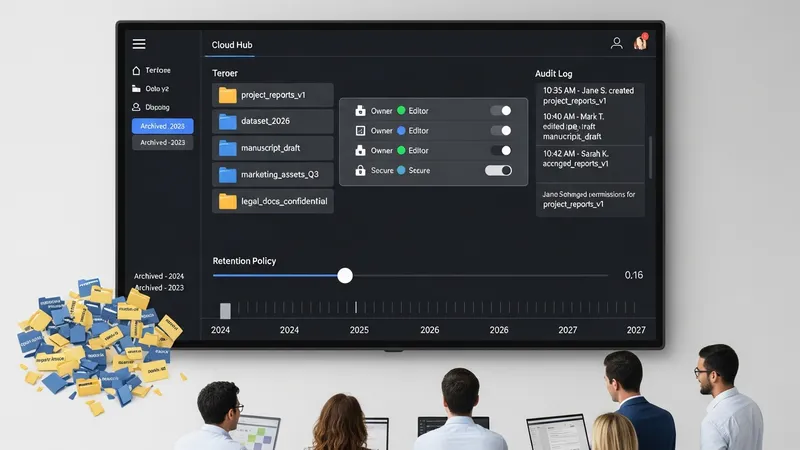
Adoption and governance shape how productivity software performs over time. Common considerations include user training, naming conventions, permission schemes, and retention policies. Studies and industry observations often indicate that a lack of shared conventions leads to fragmented usage patterns. For sustainable adoption, organizations may document minimal workflows and provide concise guidance on where to store work, how to name items, and who manages shared spaces, while individuals may prefer lightweight personal practices that integrate with broader team norms.
Governance covers access control, data retention, and compliance with applicable regulations. Even in small groups, clear rules about sharing, archival, and ownership can prevent unclear responsibility for content. For study contexts, institutions may set expectations for citation, storage of research data, and collaborative authorship. For workplace contexts, role-based access and audit logs may be relevant. These governance elements typically balance ease of collaboration with requirements for security, privacy, and recordkeeping.
Training and onboarding help align user behavior with intended workflows. Short, focused training materials that illustrate common tasks—creating and assigning work items, linking documents, or setting reminders—can reduce inconsistent practices. Peer-led sessions and example templates often support adoption by showing everyday uses rather than exhaustive feature lists. Monitoring usage patterns and soliciting feedback may reveal friction points and guide incremental adjustments to processes or tool configuration.
When assessing productivity software for ongoing use, practical criteria often include ease of use, integration capability, export options, and administrative controls. Decisions typically weigh immediate functional fit against longer-term maintainability and data portability. By treating governance, training, and selective integrations as part of a continuous process, teams and learners can adapt their toolset incrementally while preserving accessibility to important content.